
QC Photos vs QC Videos: What Each Format Can Actually Prove
Compare QC photos and QC videos by the evidence each can preserve, the defects each can miss and the follow-up needed before shipment.
QC photos and QC videos answer different questions. A sharp still frame lets a reviewer study one surface, label or ruler endpoint. A continuous video can show motion, sequence, all sides of an item and whether a simple mechanism visibly responds. Choosing the format by habit wastes evidence; choosing it by the decision makes a warehouse request more precise.
Neither format is a certification. FindQC describes QC research as evidence that helps users inspect visible details, while its terms keep selling, warehousing and authenticity outside the platform’s role. The same boundary applies when a video feels more persuasive than a photograph.
1. Write the decision question before choosing a format
Start with the property that could change accept, investigate or resolve. A size-label question needs a square, readable still. A zipper-path question may need a continuous clip. A component-count question can be answered by a laid-out photo. A request for general proof of quality is too vague because no ordinary media set can test every visible and hidden property. Translate the concern into an observable action, angle or measurement.
Question patterns
- Is this label readable?
- Do both sides appear aligned?
- Does this closure move through its full visible path?
- Are all listed pieces present?
- Where do the ruler endpoints meet the item?
2. Use QC photos for detail and comparison
A high-resolution still can preserve fine stitching, a surface mark, print edge, serial label, connector shape or measurement endpoint. Two standardized photos can be placed side by side without pausing at different video frames. Photos also create simple citations: the reviewer can name frame 4 and the precise area observed. Their weakness is selection. A photograph shows only one moment, angle, focus plane and lighting setup.
3. Use QC video for motion and continuity
A video can show an item rotating through several sides, a hinge or zipper moving, a light responding, or pieces being removed from packaging in sequence. Continuity makes it harder for an unseen angle to disappear between selected stills. Video is weaker when the camera moves too quickly, compression removes detail, autofocus hunts or glare crosses the important area. A long clip can contain less usable evidence than three planned photos.
A visible response is not a complete functional test. A light turning on does not establish battery life, electrical safety, capacity or long-term reliability. Name only the action and response actually shown.
4. Match common checks to the stronger medium
| Check | Usually stronger | Why |
|---|---|---|
| Small label text | Photo | Stable focus and zoom |
| Ruler endpoints | Photo | Precise alignment can be reviewed |
| Zipper or hinge travel | Video | Movement and sequence remain visible |
| Overall shape | Both | Still detail plus continuous rotation |
| Included pieces | Photo | Complete laid-out count |
| Simple visible response | Video | Action and response appear together |
Use this matrix as a starting point, not a rigid rule. A focused video frame may be readable, and a sequence of photos may document movement stages. The deciding factor is whether another reviewer can see the claimed observation clearly and repeat the interpretation.
5. List what neither format can prove
Ordinary warehouse media cannot by itself prove authenticity, chemical composition, internal electronics, safety compliance, waterproof performance, load capacity or future durability. Colour may shift with lighting and displays. Soft goods may deform in packaging. A ruler can be misaligned. Audio in a video may not identify the source of a sound. Treat these as unknown unless a suitable, trustworthy test or document addresses them.
Do not infer from appearance alone
- Authenticity or legal status
- Fibre, alloy or chemical composition
- Electrical or product safety
- Long-term wear and battery health
- Water resistance
- Performance under loads not shown
6. Preserve media provenance
Tie every file to the order or historical record, marketplace item, selected variant, warehouse source and date. Give videos descriptive filenames and note the requested action. Historical FindQC photos or videos belong to other records unless explicitly tied to the current order. They can identify inspection priorities, but they should not be placed in the current-order folder without a visible historical label.
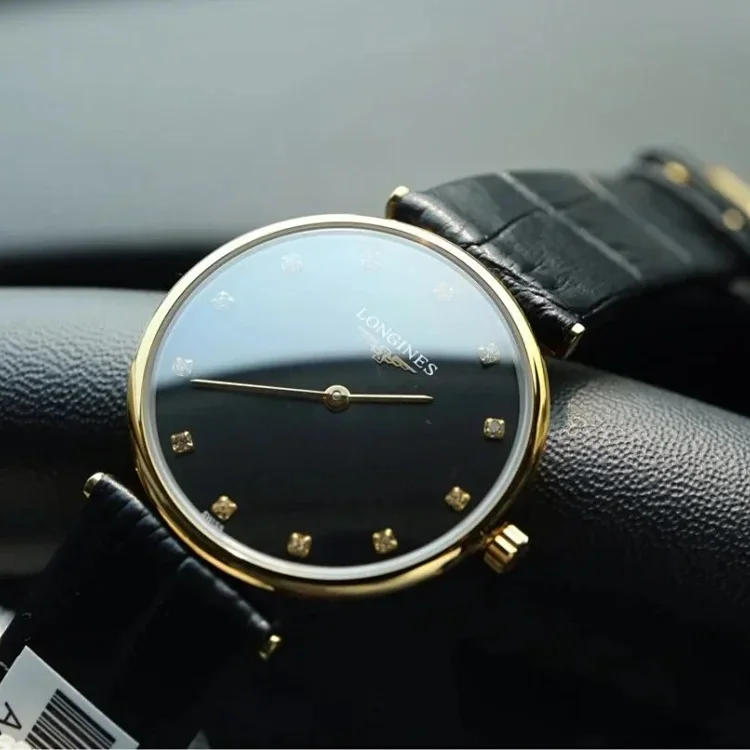
When an article uses an editorial catalogue image, caption it as illustration. Readers should never have to guess whether an image is promotional, historical QC or current warehouse evidence.
7. Review video frame by frame without overreading it
Watch once for the complete sequence, then replay the decisive segment slowly. Note the timestamp, action, angle, lighting change and visible response. Pause only to locate a question; a compressed paused frame should not be treated as a high-resolution photo. If a defect appears for a fraction of a second, check whether it persists from another angle or is caused by motion blur, reflection or packaging.
8. Request a small complementary set
Use the standard warehouse set first. Add a video only when continuity or motion changes the decision, and add a still when the clip cannot preserve detail. Give one instruction per request: rotate the item slowly from front to back, open and close the named closure once, or photograph the label square-on. Confirm fees, supported checks and return timing with the agent before depending on custom media.
Avoid requesting unsupported stress, safety or destructive tests. The goal is clearer evidence within the service’s actual workflow, not a laboratory simulation.
9. Write the final evidence statement by format
List what the photos establish, what the video establishes and what remains unknown. For example: photos show the ordered label, included pieces and measured width; the video shows the closure completing one visible cycle; material composition and durability were not tested. Resolve any deal-breaker while the third-party service’s current remedy window is open, and save the files with the decision.
This format-specific conclusion prevents a smooth video from becoming a blanket guarantee and prevents a sharp still from implying functionality it never showed. The best QC record is not the largest media folder; it is the smallest set that answers the important visible questions honestly.
Review the saved media on a second screen when colour, small text or a brief movement matters, but remember that displays and compression can alter appearance. If the decision depends on a property the files cannot show reliably, move that issue outside the photo or video workflow. Seek an appropriate document, test or current service confirmation, or accept that the property remains unknown. Changing the medium does not remove the evidence boundary.
Record the original file resolution and whether a messaging service recompressed it. If the warehouse source offers a downloadable original, compare that file before deciding that a blurred label or short motion is unreadable. Preserve the unedited copy beside any frame captures so annotations and cropping never replace the underlying evidence.
Reference checked
The catalog structure was checked against the live destination. Product details and policies can change, so verify current information before making a decision.
- FindQC — What is QC? Official description of QC images, visible checks and the limits of a warehouse photo review.
- FindQC — Beginner Checklist Official checklist covering listing identity, QC evidence, measurements, shipping context and the final decision boundary.
- FindQC — How FindQC Works Official explanation of link, keyword and image search, result grouping, ranking signals and similar-item limits.
- FindQC — Terms of Service Official service boundary: FindQC aggregates research data and is not the seller, purchasing agent, forwarder or authenticity certifier.